
Using Return Variables in Fabric Child Pipelines
- 2025-07-20
- 3 minutes to read
Table of Contents
Introduction
I answered a question on the Fabric community on return variables recently and thought I would expand upon it in a blog post. The question was how to use a variable derived in a child pipeline downstream in the parent pipeline. The person was specifically deriving a json object and wanted to iterate on the values in the parent pipeline.
What is a return Variable
A return variable is used to set values that are available in the output upon completion of a pipeline. In a parent-child pipeline pattern, these variables can then be used by the parent pipeline. This can be useful to influence next steps in the parent pipeline.
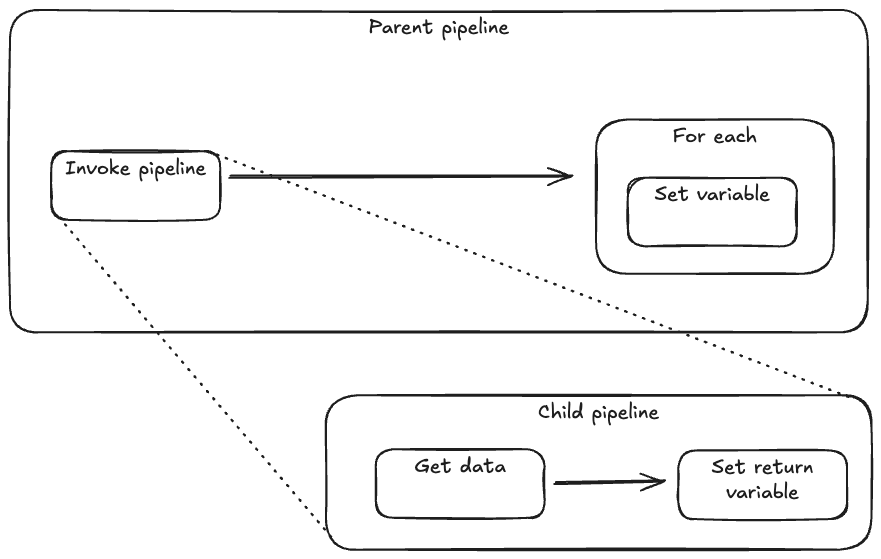
Designing the Demo
I’m going to create a parent / child pipeline where the parent pipeline calls the child pipeline. The child pipeline will call an api, pass the output to a return variable which will then be iterated over by a for each loop to set a variable in the parent pipeline.
Setting up a return Variable
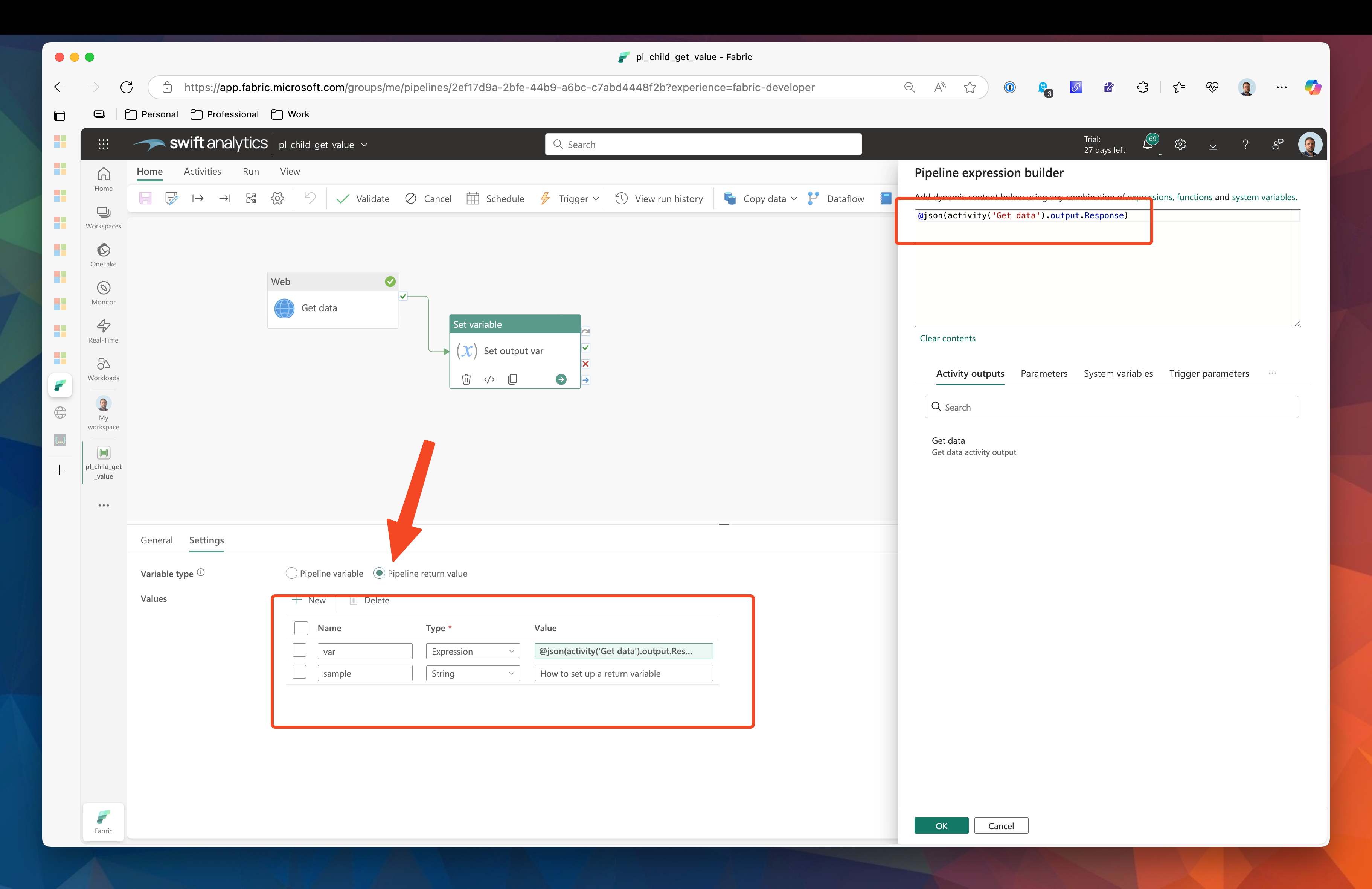
Using the set variable activity, you can switch the variable type to Pipeline return value. The interface allows you to set up multiple key value pairs, but most types only allow you to set fixed values. To set a dynamic value you must choose the expression type.
I’m using restful-api for the demo, specifically this api: https://api.restful-api.dev/objects?id=3&id=5&id=10 in my Set return var activity I am referencing the output from the api task, I also created a second output variable called sample as a string to show that it is possible to have more that one return variable.
Running the pipeline, the set variable activity has completed, and I can inspect the output of the task to see what was value was set:
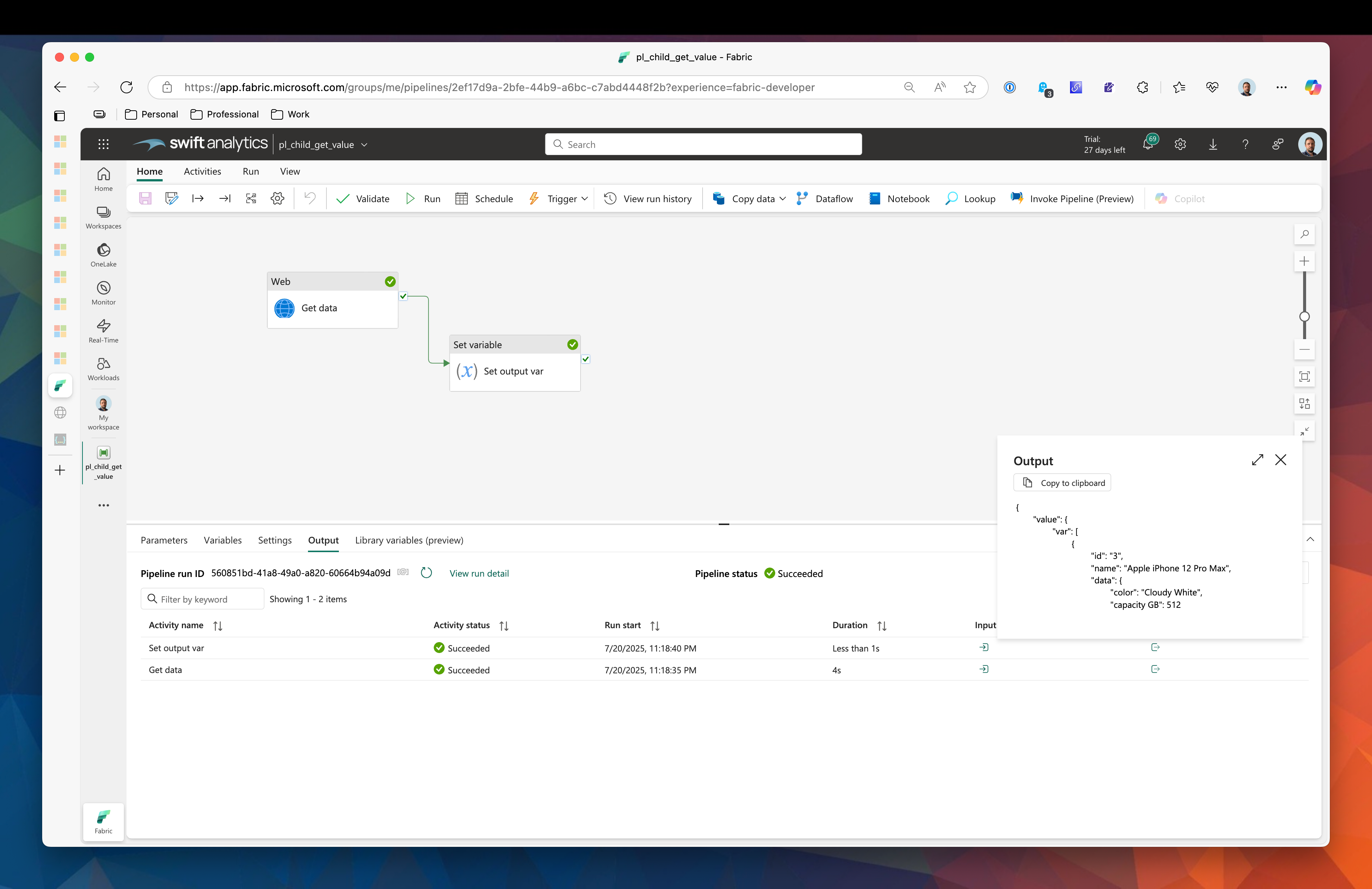
Here is the complete output, observe that the value contains the two output variables that were set in the task - one called var the other called sample:
{
  "value": {
    "var": [
      {
        "id": "3",
        "name": "Apple iPhone 12 Pro Max",
        "data": {
          "color": "Cloudy White",
          "capacity GB": 512
        }
      },
      {
        "id": "5",
        "name": "Samsung Galaxy Z Fold2",
        "data": {
          "price": 689.99,
          "color": "Brown"
        }
      },
      {
        "id": "10",
        "name": "Apple iPad Mini 5th Gen",
        "data": {
          "Capacity": "64 GB",
          "Screen size": 7.9
        }
      }
    ],
    "sample": "How to set up a return variable"
  }
}
Retrieving the return Variable
Moving back to the parent pipeline, I need to add an invoke pipeline task and select the child pipeline. Once I connect it up to to a for each activity, the input for the for each activity will present two default outputs, one of which refers to the return value from the invoke pipeline task which is the one we want to select.
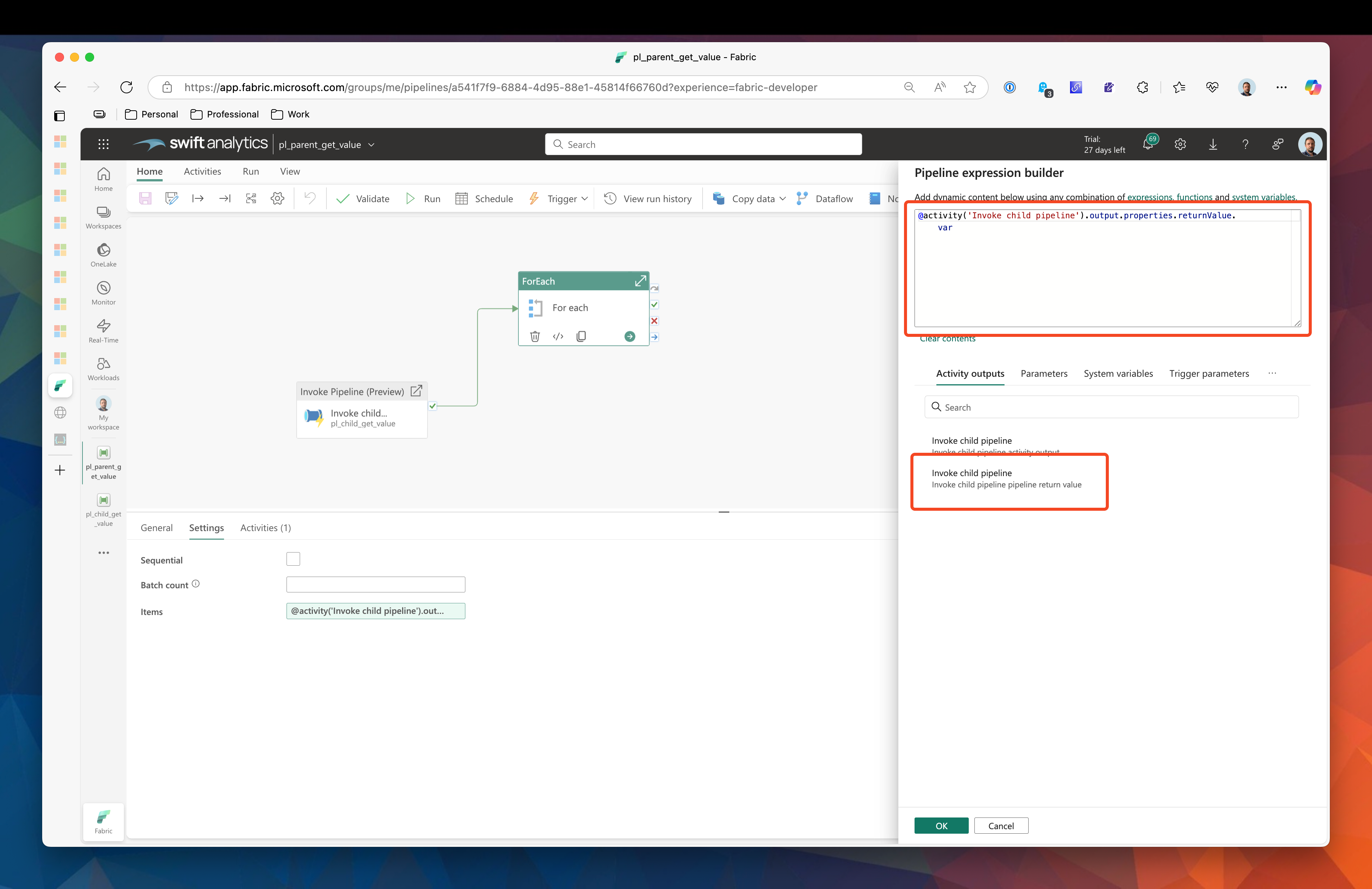
We do need to specify which return value we are interested in though, so the input for the for each activity must reference the variable called var and so the completed expression will look like this:
@activity('Invoke child pipeline').output.properties.returnValue.var
To prove this has worked, I will set a variable within the for each activity using the name key from the array.

Here you can see that the for each activity ran three times and the third output value says Apple iPad Mini 5th Gen. Success!!
Summary
In this post I showed you how to set up a return variable, how to pass the output of another task in as a return variable and convert it to be iterated on by a for each activity.
References

#mtfbwy
Comments