How to track the outcome of a beta Microsoft exam
- 2025-07-06
- 2 minutes to read
Table of Contents
Introduction
Recently I took a Microsoft exam that was in beta and I wasn’t notified of the result. There is a way to find out through the Pearson Vue portal.
What is a Beta Exam
Prior to being launched, Microsoft exams are made available for a limited run in beta mode. The exams are run the exact same way however, there is no training material available and information on the exam is limited. The main difference is you do not get your result straight away instead, you must wait for the exam to be released to find out if you passed or not!
No Email
Typically, you receive an email 1-2 weeks after launch but I didn’t receive one. You can however, find out the result through a bit of a convoluted process via the Pearson Vue website. We need to visit the Pearson VUE with my Microsoft profile. The handoff for this seems to be between Microsoft Learn and Pearson VUE. I don’t seem to have found a way to do this directly on the Pearson VUE site, the only way I have found to do this is by attempting to schedule a new exam.
Schedule an Exam
We will start an exam registration, but then exit it. Pick any exam on the learn site such as the DP-700 exam. Click on the schedule exam button the fill in your details.

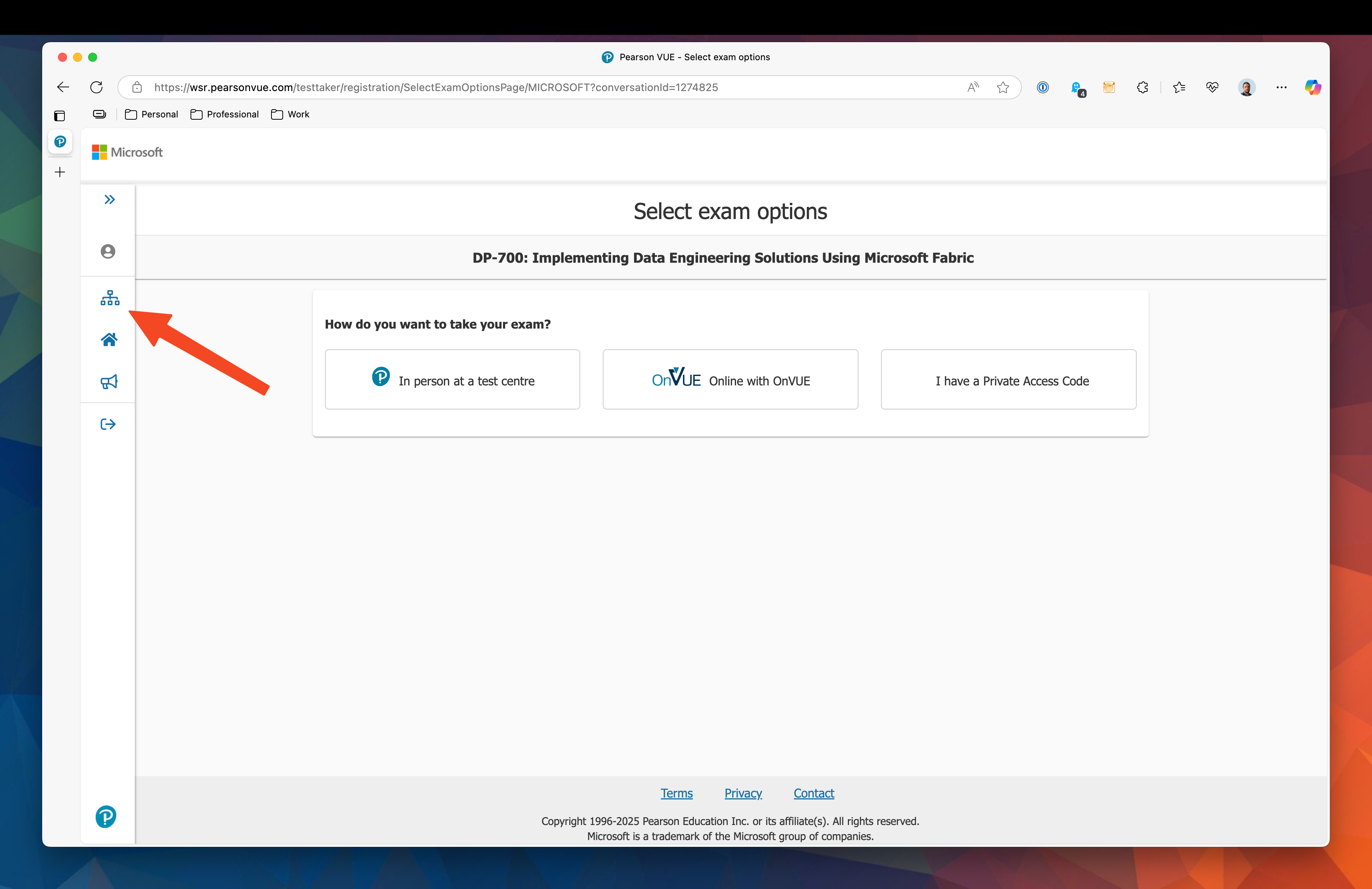
Once you have completed your details you will be handed off to the Pearson VUE site where you will be asked to choose how you want to take the exam. At this point you can go back to the Pearson VUE homepage which will allow you to access you profile.
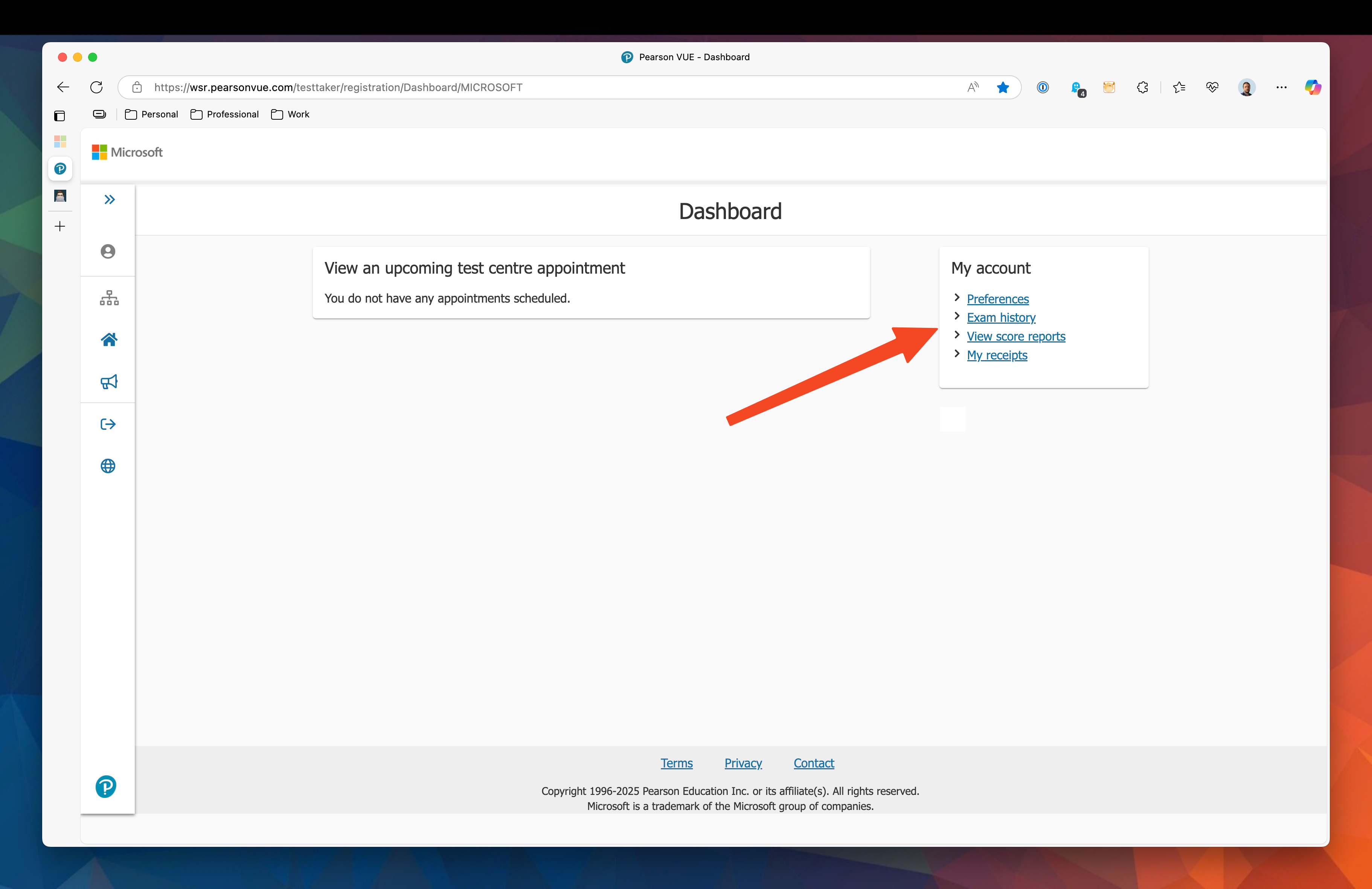
From here you can select Exam history or Score reports, both will list the outcome of your exam.
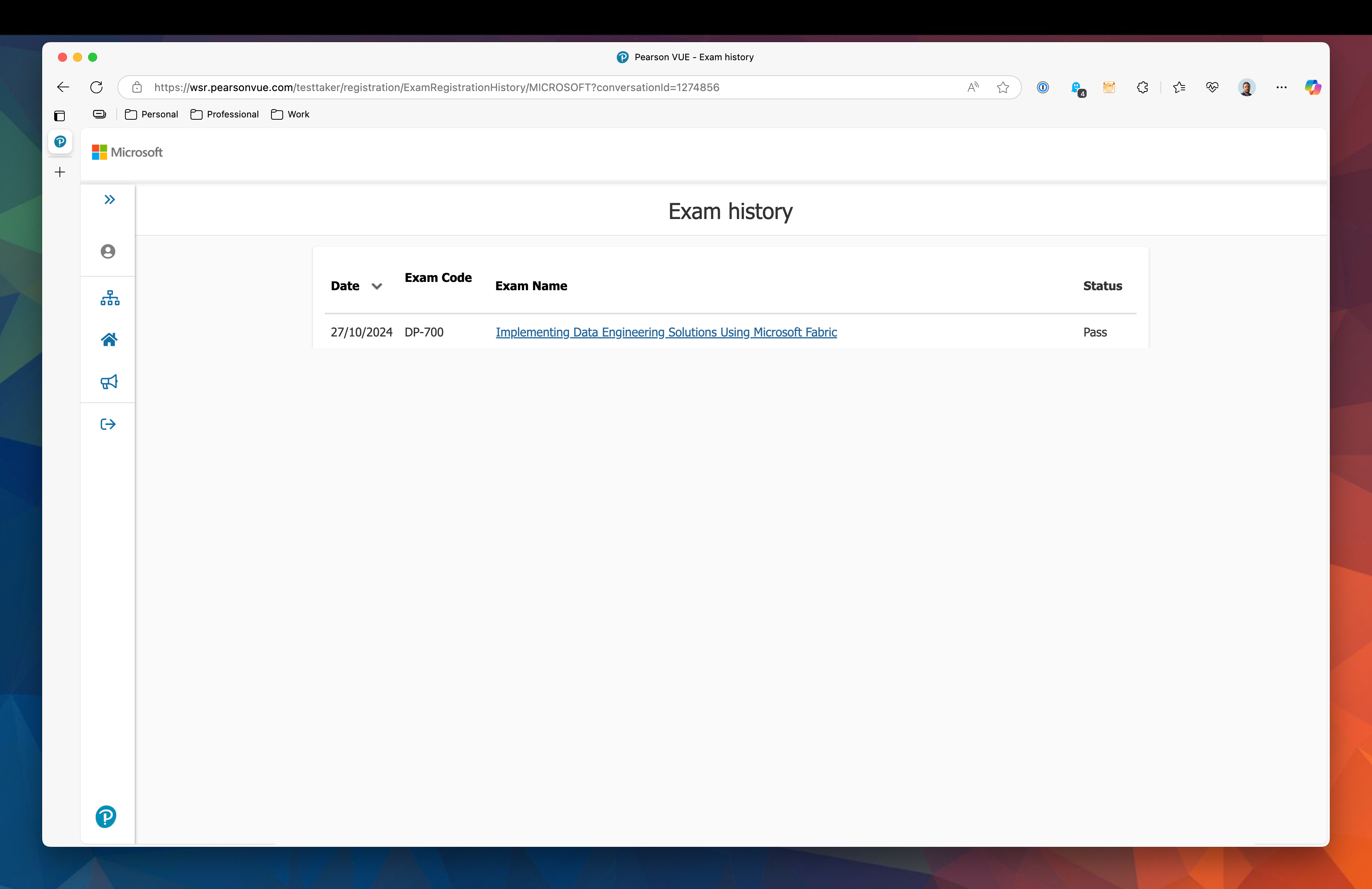
Here is the exam history page, it will list all the exams you have taken, most recent first.

#mtfbwy
Comments